What is ChaosEdgeSteg?
ChaosEdgeSteg is a Python tool from the crypt0lith project. It does chaos-based, edge-adaptive LSB steganography. Bits hidden in every pixel are visible in a statistical analysis. Thus ChaosEdgeSteg does not use every pixel. It does three steps:
- It finds the edge pixels with an adaptive Canny pass.
- It puts the edge pixels in an order with a Hénon chaotic map. Your password is the key for the map.
- It writes the payload into the least significant bits of only those locations.
The scheme is non-blind and keyed. Three items are necessary to decode:
- the original cover image
- the steg image (the image that you downloaded from X)
- the password (you sent it through a different channel)
The decode operation uses the cover to find the set of edge pixels again. It uses the password
to make the Hénon order. If the cover, the image sequence, or the password is incorrect, the
decode operation fails quickly. The check on the CES header then shows
bad password.
The upstream project supplies a CLI:
pip install git+https://github.com/crypt0lith/ChaosEdgeSteg.git

# embed files into a cover image
chaosedgesteg embed cover.png secret.txt -O steg.png

# extract from the steg image (needs the same cover + password)
chaosedgesteg extract cover.png steg.png -O extracted.zip
The plastron integration is byte-compatible in the two directions. The desktop CLI can extract a steg PNG that the browser made. The plastron workbook can decode a steg image that the upstream CLI made.
Why ChaosEdgeSteg is on plastron
The use case is specific. You hide a https://plastron.ca/#f=<base64url>
f-string link in a small PNG that you can post to Twitter/X. An f-string link is a deep link
that you can share. It opens a live sketch (for example, boids or kanban). If the image stays
the same after X re-encodes it, each person who has the cover and the password can recover the
link. That person then clicks the link, and your sketch opens.
ChaosEdgeSteg is not a new plastron application segment. It is a sheetapp document: a workbook of positioned cells. Ordinary spreadsheet formulas and one Python source cell make all of these parts:
- the algorithm
- the UI
- the password field
- the size guard
- the decode logic
Open ChaosEdgeSteg from the desktop the same as any other document.
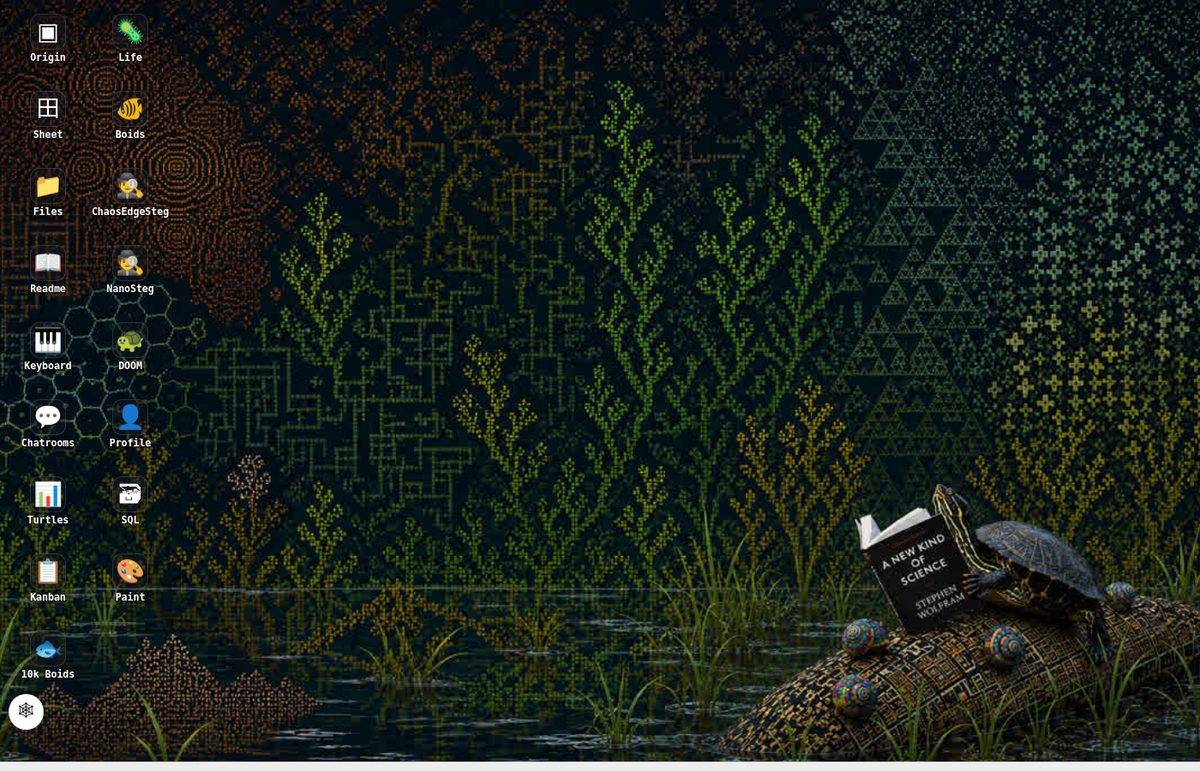
doc:chaosedgesteg.How Pyodide runs the upstream code
The py compiler cel is already a part of plastron. Use it in three steps:
- Paste the Python code into a cell.
- Bind the code with
=def('name', 'py', sourceCell). - Call the new function from formulas.
For ChaosEdgeSteg, we put the bodies of the upstream henon.py and
steg.py files into cell A21 without changes. We added a small
quantity of interface code for the PNG↔BGR conversion and the upstream zip container. Cell
A22 binds the code: =def('chaosedgesteg.ces', 'py', A21).
The runtime is Pyodide v0.29.4 (CPython 3.13 in WebAssembly). When you open the workbook for the first time, the browser downloads the Pyodide core and the packages that the source code imports:
numpyopencv-python(cv2)pillowmpmath
The download is approximately 30 MB and comes from jsDelivr. The browser keeps it in the cache after the first run.
Pillow and numpy read and write the PNG data. OpenCV does four operations:
- the grayscale conversion
- the bilateral filter
- the adaptive Canny pass
- the LSB writes
We did not write the chaotic-map math again. The plastron results are equal to the upstream results because the code bytes are the upstream bytes.
One small native change made this possible. The py compiler now calls
pyodide.loadPackagesFromImports(source) before runPython. Thus each
import line in a py cell automatically downloads its wheel. ChaosEdgeSteg is the
worked example. Before this change, a cell that imported numpy failed with
ModuleNotFoundError and showed no message.
The algorithm is policy in cells. There are only two native additions: the automatic package load andfs.pickToCel. (fs.pickToCelchanges a file-picker upload into base64 in a named cell.) There are no new verbs for steganography.
How to use ChaosEdgeSteg
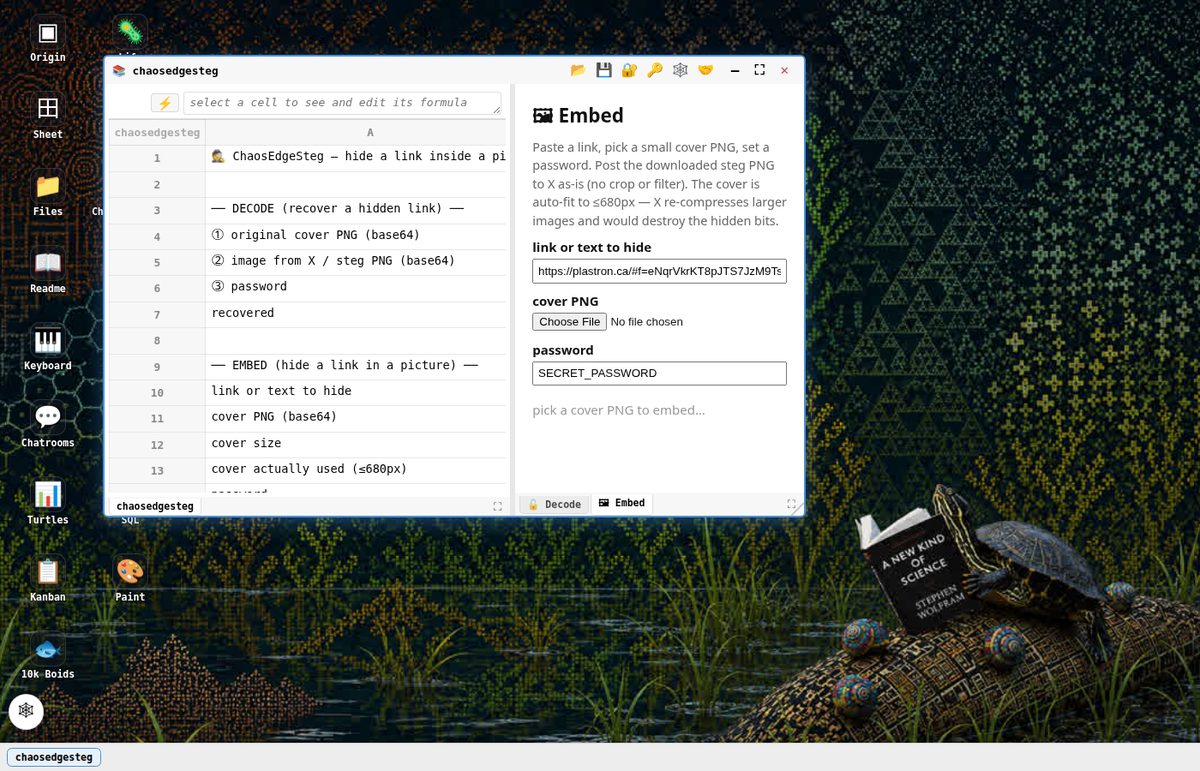
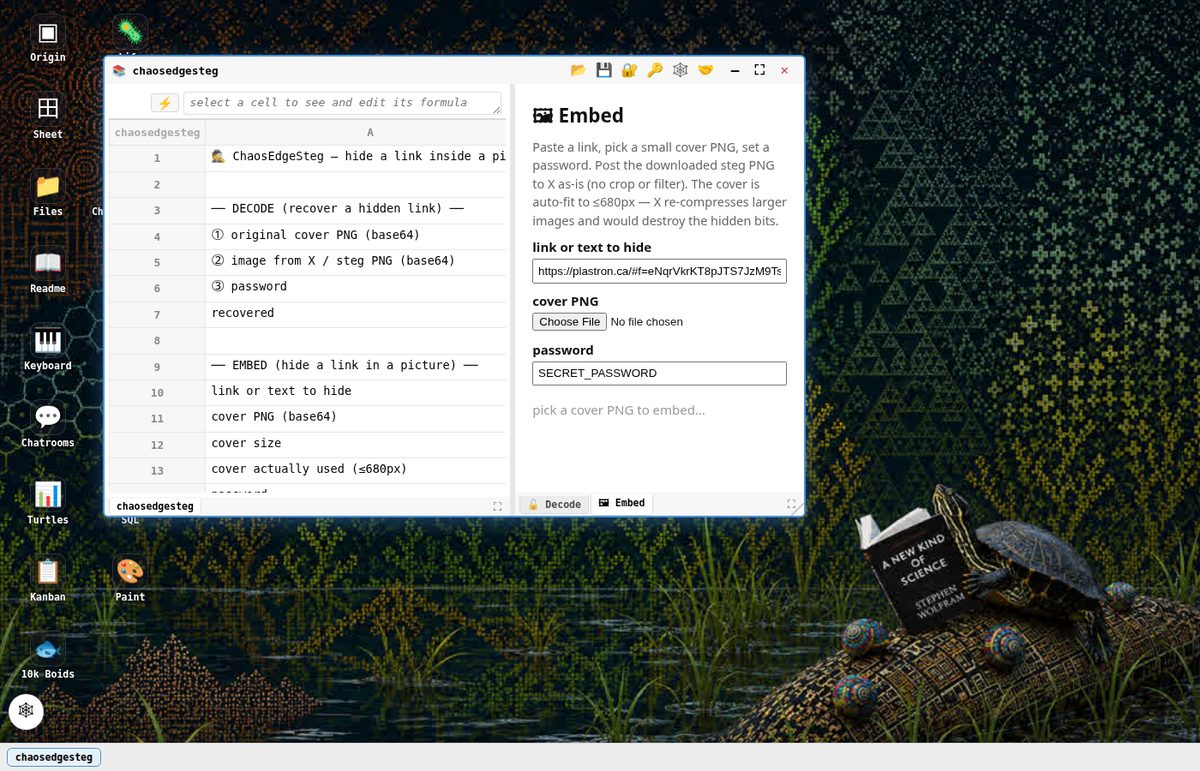
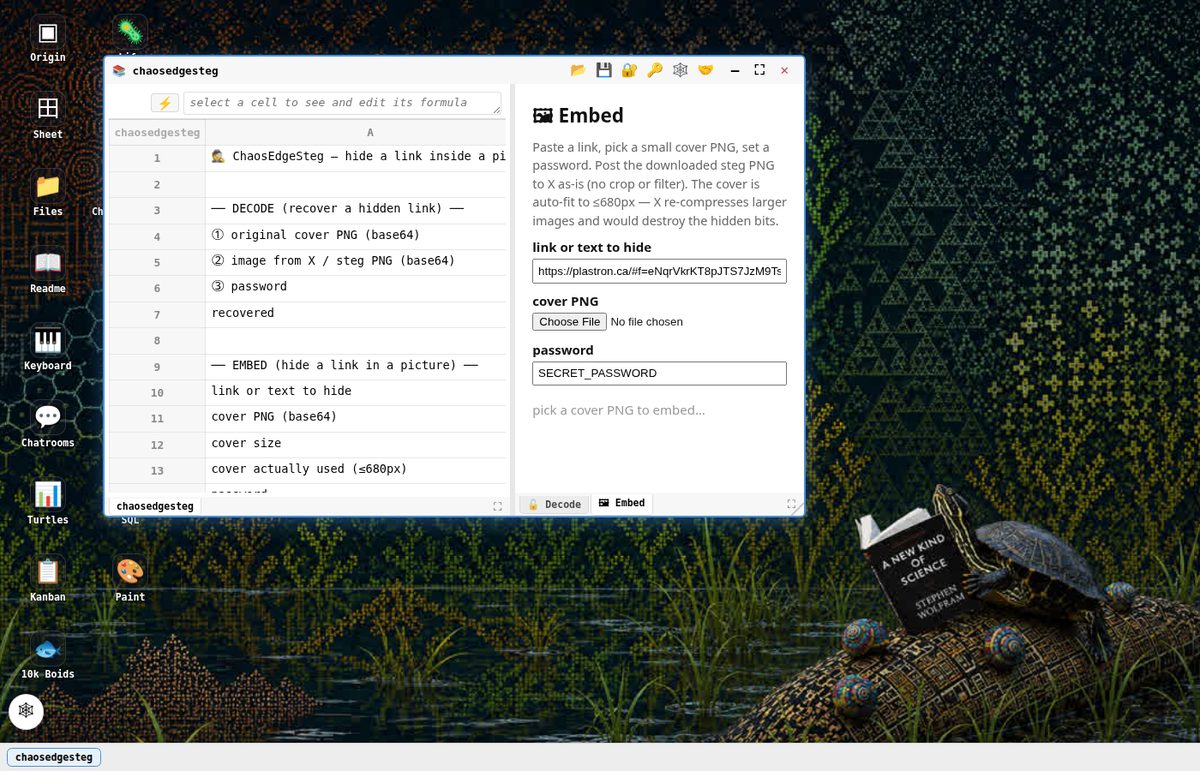
Figure 1 shows the full procedure. To decode the link later, three items are necessary: the original cover, the image from X, and the password. Keep the cover. Send the password to your friend through a different channel.
1. Open ChaosEdgeSteg
- Go to plastron.ca.
- Open the origin desktop.
- Click 🕵️ ChaosEdgeSteg.
A workbook opens. It has two tabs on the right: 🔓 Decode and 🖼 Embed.
2. Embed a link
- On the 🖼 Embed pane, paste your
plastron.ca/#f=…link. (As an alternative, keep the default boids link.) - Select a PNG cover image. The sheet immediately does a check of the dimensions.
- Set a password. (The default is
SECRET_PASSWORD, the same as upstream.) - Wait until the embed operation is complete. (The first run loads OpenCV through Pyodide in a few seconds.)
- Click ⬇ Download steg PNG.
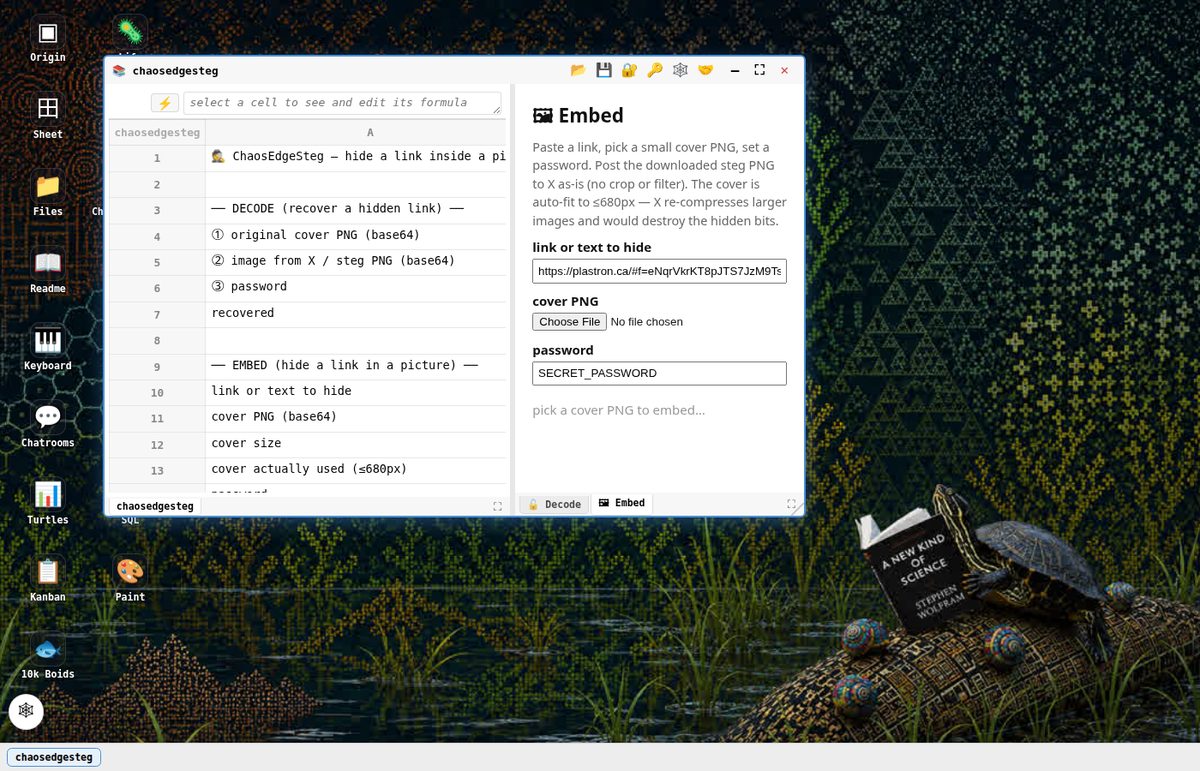
3. The ≤680px rule (necessary for X)
We did a round-trip test on the real X service. We posted seven steg PNGs to X, downloaded them, and decoded them. X did not change the PNGs with a maximum dimension ≤ 680px: the downloaded files were byte-for-byte identical. We recovered the link exactly. X recompressed the images of approximately 900px or larger as JPEG. That recompression destroyed the LSBs.
The Embed pane applies this rule. If your cover is too large, the pane shows
TOO BIG: 1200×630 …. The sheet then automatically downscales the cover to ≤680px
before the embed operation. If the sheet used a downscaled copy, a second download link gives
the cover that the sheet used. The person who decodes must have that exact file, not
the original file that was too large.
size OK — 680×357, ≤680px. The lossless re-encode on X will not change this cover.

4. Post to X
- Upload the downloaded steg PNG to X without changes. Do not crop the image, and do not apply a filter.
- Later, download the image that X serves.
You do this step on X, not in plastron. The application intentionally does not download from
twimg.com because of CORS.
5. Decode
- On the 🔓 Decode pane, upload the original cover and the image from X. The sheet automatically tries the two images in the two possible sequences.
- Enter the password. The recovered text appears. If the text is a URL, it appears as a clickable link.
- Click the link. Your boids sketch opens. If you hid a different link, that link opens.
plastron.ca/#f=… link and shows it as a clickable link.6. Compatibility between the tools
The upstream CLI can also extract a steg PNG that plastron made:
chaosedgesteg extract cover.png plastron-steg.png -O recovered.zip
The opposite direction is also possible. The plastron workbook can decode an image that the
upstream CLI made, with the same cover and the same password. The zip container is exactly the
same as the upstream format (comment b"0", member 0.bin).
How the sheetapp operates (technical details)
Figure 2 shows the embed operation. It has four steps:
- It changes the cover to grayscale.
- It finds the edge pixels with adaptive Canny. Canny uses a bilateral-filtered image. A bisection on the thresholds gives the target edge density.
- It puts those pixels in a Hénon-map order. The key for the map is a BLAKE2b-8 hash of the password.
- It writes the LSBs at those pixels: a
CESmagic header and a 4-byte length, then the payload bits.
The decode operation has three steps:
- It runs Canny again on the original cover to find the same set of pixels.
- It reads the LSBs from the steg image.
- It does a check of the header.
No special code is necessary. Formulas connect the parts:
B7 = chaosedgesteg.ces('decode', B4, B5, B6)— the decode sideB15 = chaosedgesteg.ces('embed', B13, B10, B14)— the embed side (it always uses the downscaled coverB13)B12 = chaosedgesteg.ces('size', B11)— the size guardB13 = chaosedgesteg.ces('downscale', B11, 680)— the automatic downscale for X
When you close the workbook, plastron flushes and evicts every chaosedgesteg.*
cell. The shared Pyodide runtime stays in the cache at process level. The next py cell that
uses Pyodide can then use that runtime.
Status
ChaosEdgeSteg is in plastron-examples/origin
as apps/docs/chaosedgesteg.json. A capstone e2e test
(e2e/chaosedgesteg.mjs) is also there. The test does three things:
- It embeds a boids link.
- It decodes the link.
- It makes sure that the result is the same as the upstream result. The fixture for this check went through a real round trip on X.
🕵️ NanoSteg is a smaller, related tool. It hides data in LSBs and has no dependencies. It is available for comparison. It uses a different algorithm and is intentionally not compatible with ChaosEdgeSteg.
This sheetapp shows the "algorithm as spreadsheet policy" model of plastron:
- Real scientific Python code is visible in a cell.
- The code runs in the browser.
- Each UX decision is a positioned formula.
Do not use this sheetapp as a security product. Steganography is obscurity, not encryption. The sheetapp is a demonstration for enjoyment. It is also a good method to send hidden share links through the image pipelines of social networks.
References
- crypt0lith/ChaosEdgeSteg — the upstream chaos-based, edge-adaptive steganography tool
- crypt0lith — the home of the project
- Pyodide — CPython in WebAssembly (plastron pins v0.29.4)
- plastron.ca — the live demonstration. Click 🕵️ ChaosEdgeSteg on the desktop.
- rheophile10/plastron — the source code